Tagging & Search
A disciplined tagging strategy saves coaches time and keeps reporting meaningful. Use this playbook to keep the content library tidy as it grows.
Tag Types
- Skill Focus — Ball handling, shooting, defense, conditioning.
- Level / Age Group —
U12,Varsity,Elite. - Season / Phase — Preseason, In-Season, Tournament.
- Role-Based — Guards, Wings, Posts, Captains.
Stick with short, reusable labels. Avoid near-duplicates such as Ball-Handling vs Ball Handling.
Applying Tags
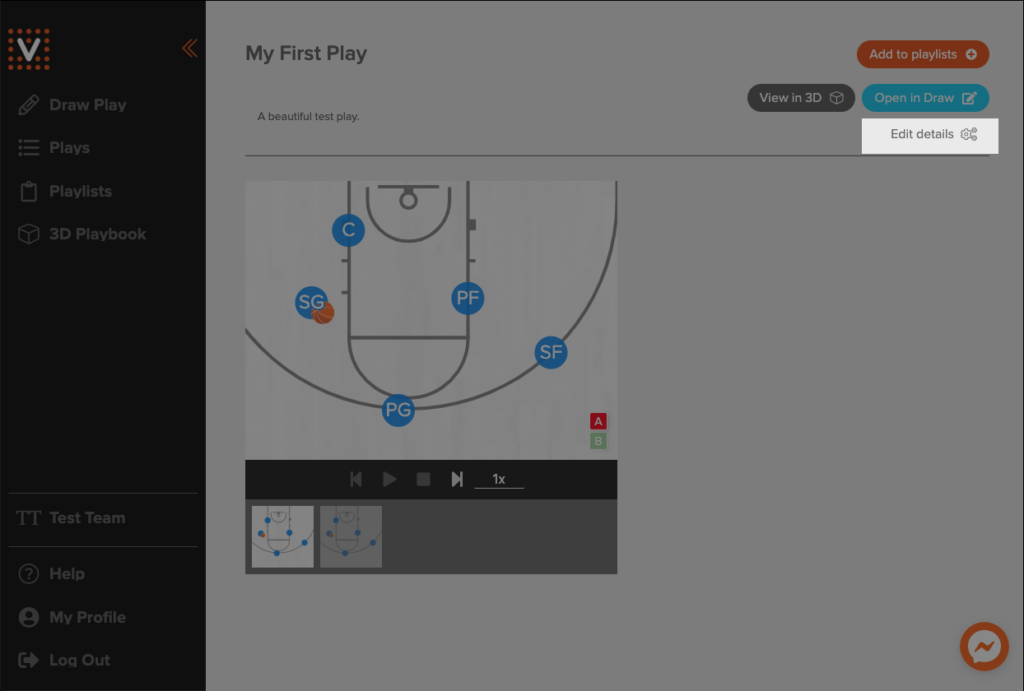
- Open a play detail page and choose Edit details.
- Add or remove tags in the sliding panel, then click Save.
- Tags apply immediately to search filters, playlists, and mobile playback.
Collections & Favorites
- Use Collections to create curated sets for seasonal plans or clinics.
- Encourage coaches to Favorite content they rely on weekly; favorites appear at the top of their lists.
- Archive outdated tags or collections at the end of each season to keep the list manageable.
Searching Effectively
- Combine tag and keyword filters (e.g., search for “transition” and filter by
Skill:Conditioning). - Use the Team filter to view content the roster already received.
- Sort by Recently Updated before practices to surface fresh material.
Governance Checklist
- Assign one staff member per program to audit tags monthly.
- Document your approved tag dictionary in an internal doc or wiki.
- During onboarding, show new coaches how the search filters map to your naming conventions.