Account Management
Everything in the platform starts with a clean account foundation. Use these walkthroughs to sign up new staff, refresh profiles, and keep billing information current.
Create a Coach or Player Account
- Visit the appropriate registration link:
- Coaches headed for the basketball platform can start at vreps.us.
- Invitees who received a team code should choose Register with Email and enter the code during signup.
- Select your role. Coaches unlock play authoring, team creation, and subscription management. Players receive mobile access and assignments.
- Provide an email, name, and password, then click Register.
- Return to the sign-in page to log in with the new credentials.
If a player already has an invitation link, they can jump straight to the confirmation step by opening the link from a coach.
Update Profile Details
- From the coach portal, open your profile page and click the orange Edit button near the top.
- Update name, email address, or phone number directly in the form and press Save.
- To change a password, select Change Password, enter the new value, and save again.

Profile edits apply instantly across the web app and the mobile experience—no extra confirmation required. Encourage coaches to keep contact info current so roster notifications and billing emails arrive where they should.
Manage Team Subscriptions
Each active team requires its own subscription to unlock playlist sharing, mobile access, usage analytics, and direct support. A single coach can own multiple subscriptions when managing several squads.
Start a Subscription
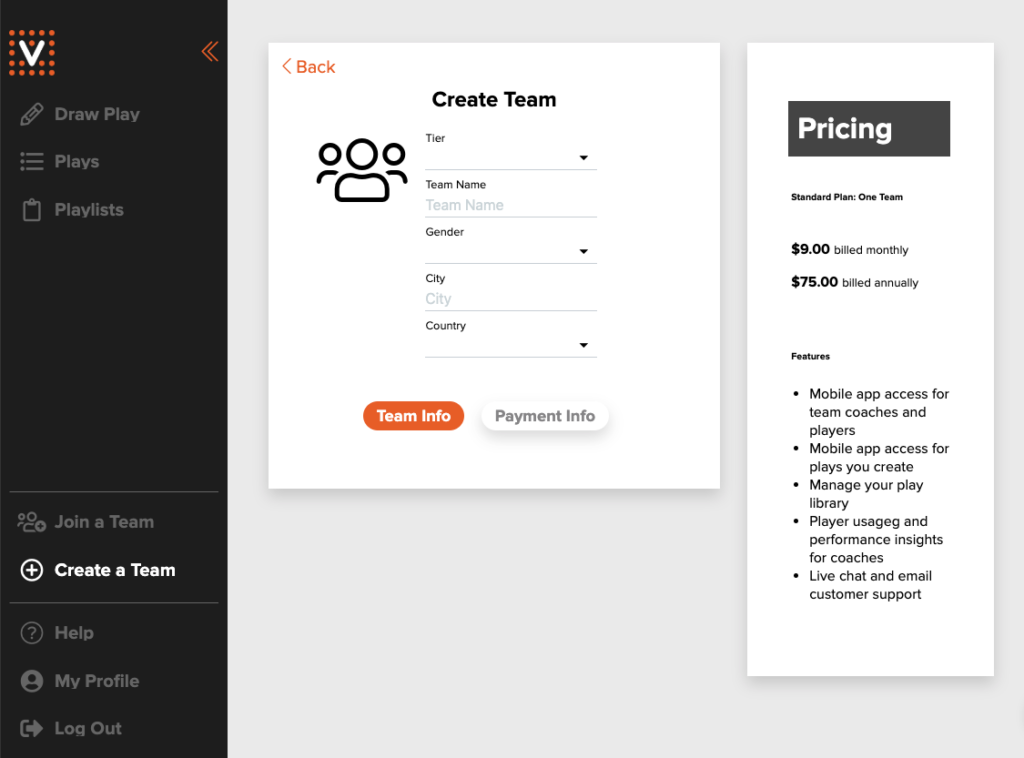
- Click Create a Team on the home dashboard.
- Enter team details such as competition tier, name, and location.
- Switch to the Payment Info tab to add credit card details and activate the plan.
- After saving, the team dashboard opens and the subscription begins immediately.
Manage Billing
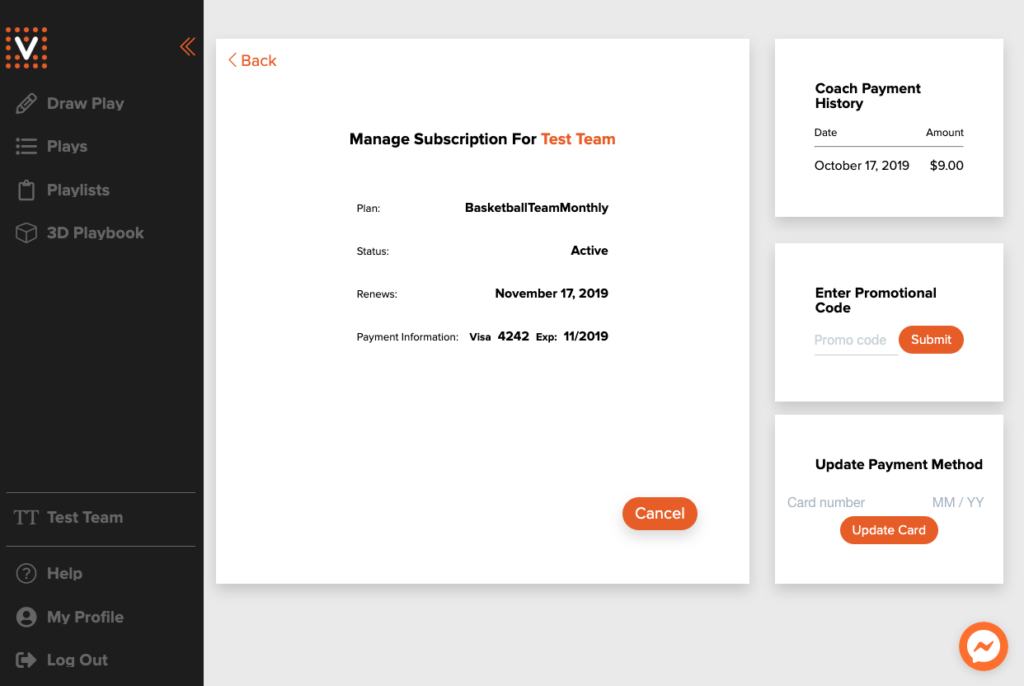
Open the Manage Subscription tab from any team page to:
- Toggle between monthly and annual billing.
- Update the saved payment method or add promotion codes.
- Review payment history and download receipts.
Pause or Cancel
- Use the Cancel button to stop auto-renewal. You retain access until the current term expires.
- A Renew Subscription option appears after cancellation so you can restart the plan any time before expiration.
Need help with billing, account deletion, or data export? Reach out through the in-app messenger or email contact@vreps.us with your team ID and request details.